
New Feature: SSL Certificate Installation Checker
1776846296333
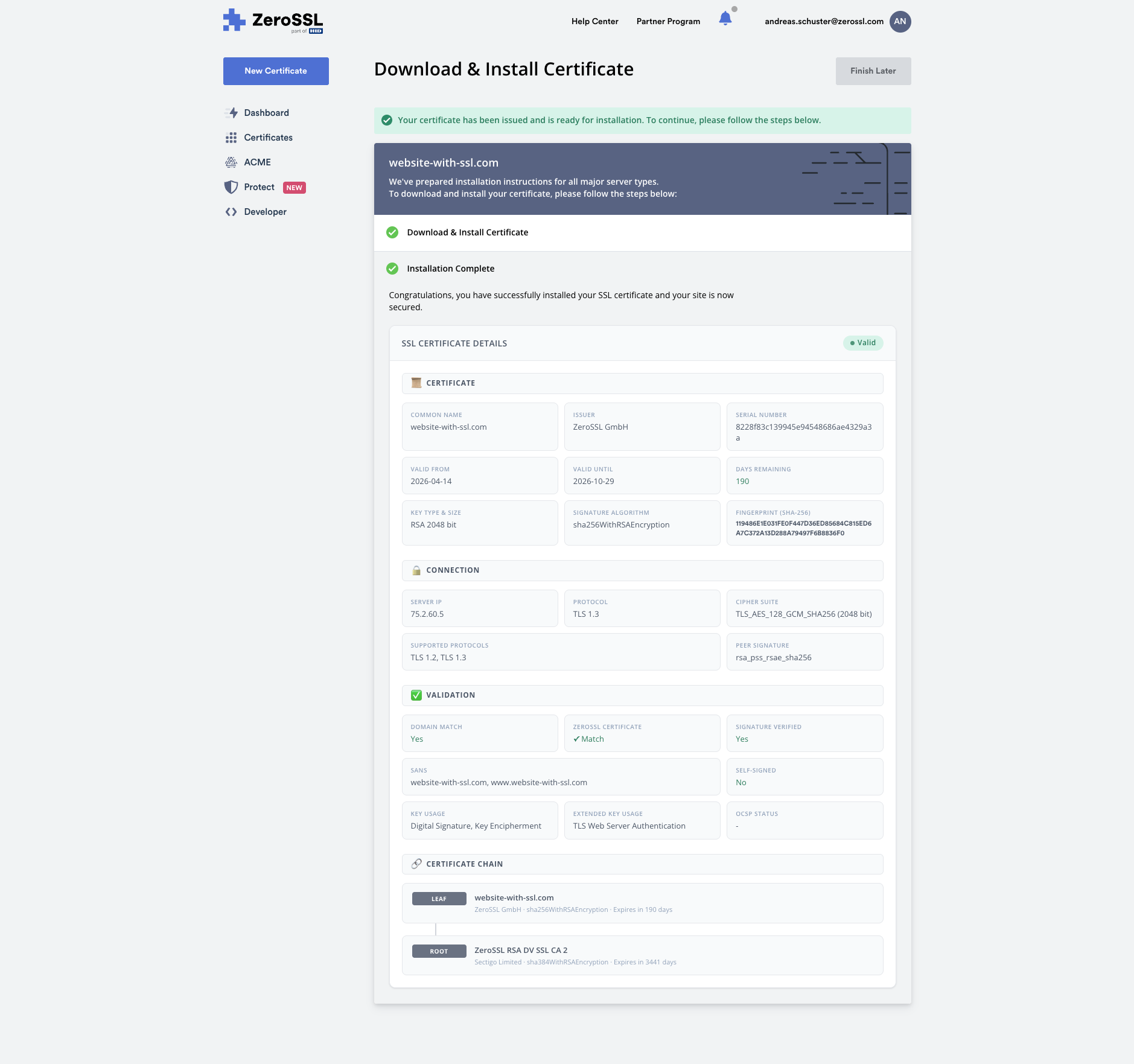
We’re happy to announce a new SSL Certificate Installation Checker, now available on ZeroSSL. This tool helps you to check if certificate has been installed correctly and provides you with certificate details, installation details and further information. It is completely free for all our users.
With this new feature, you can:
Check your server setup and installation details
Verify that the certificate installed on your server is the same certificate you just issued
Analyze certificate details (issuer, validity, and more)
Analyze SSL/TLS connection details
View the full certificate chain
This makes it easier to find common setup problems and confirm that your setup is working as expected.
How to use: After you have issued a certificate in the screen Download & Install Certificate click on the Check installation button.
We’re also working on a more detailed check, available for our users of ZeroSSL Protect, including:
In‑depth analysis of installation and server configuration for SSL/TLS
SSL/TLS monitoring with a clear overview of all your certificates and their installation status
These features are designed for users who need deeper insights and continuous SSL visibility.
This SSL installation checker is a new feature and is currently being evaluated and improved. We’ll continue to enhance accuracy, performance, error reporting and usability based on testing and user feedback.
Thank you for using ZeroSSL. We’re excited to keep improving your SSL experience!
Did you like this update?


Leave your name and email so that we can reply to you (both fields are optional):
